> ## Documentation Index
> Fetch the complete documentation index at: https://rockxy-develop.mintlify.site/llms.txt
> Use this file to discover all available pages before exploring further.
# Introduction
> Rockxy is an open-source, native macOS network debugging tool with log intelligence and traffic rules.
# Rockxy
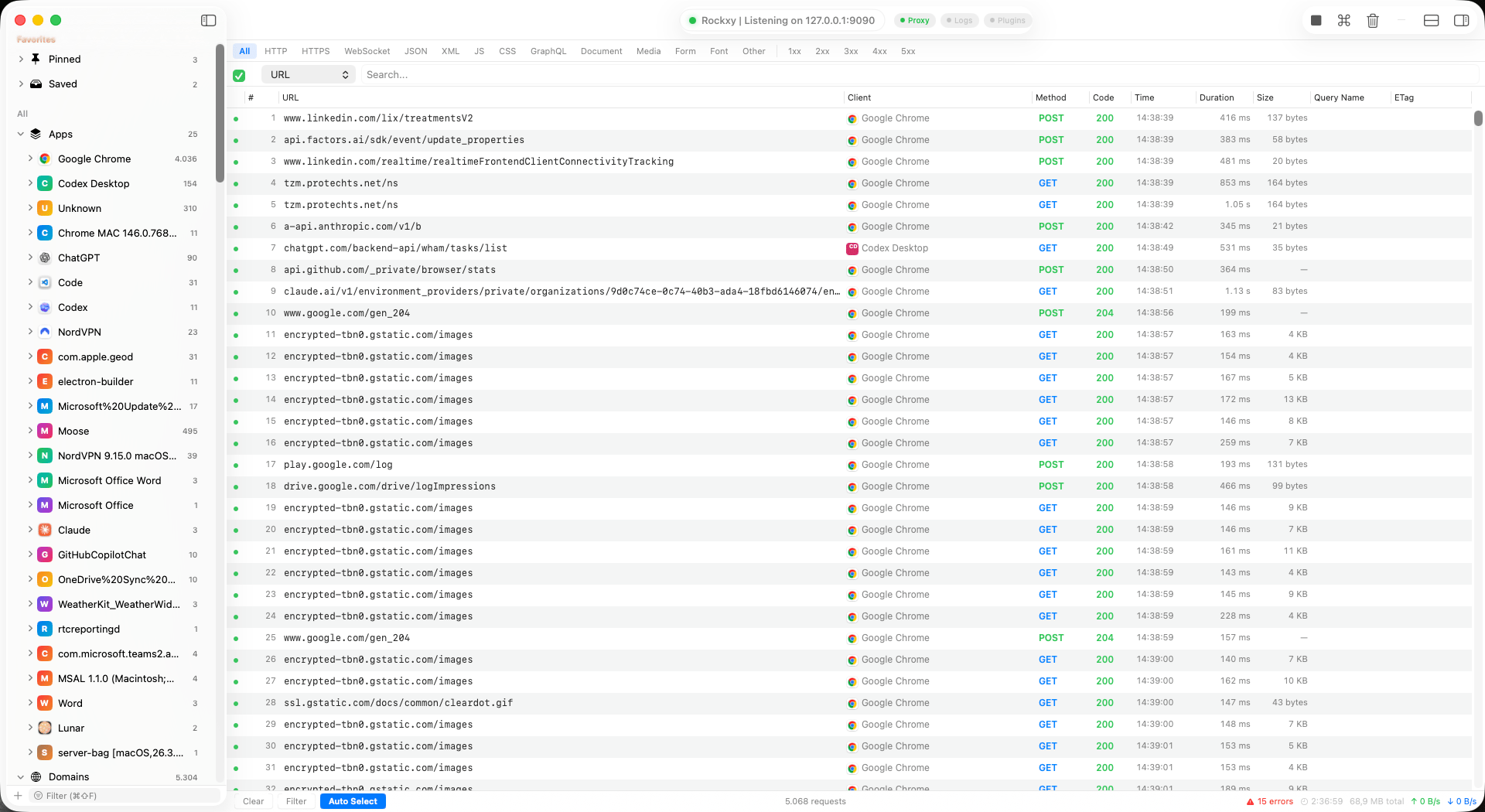
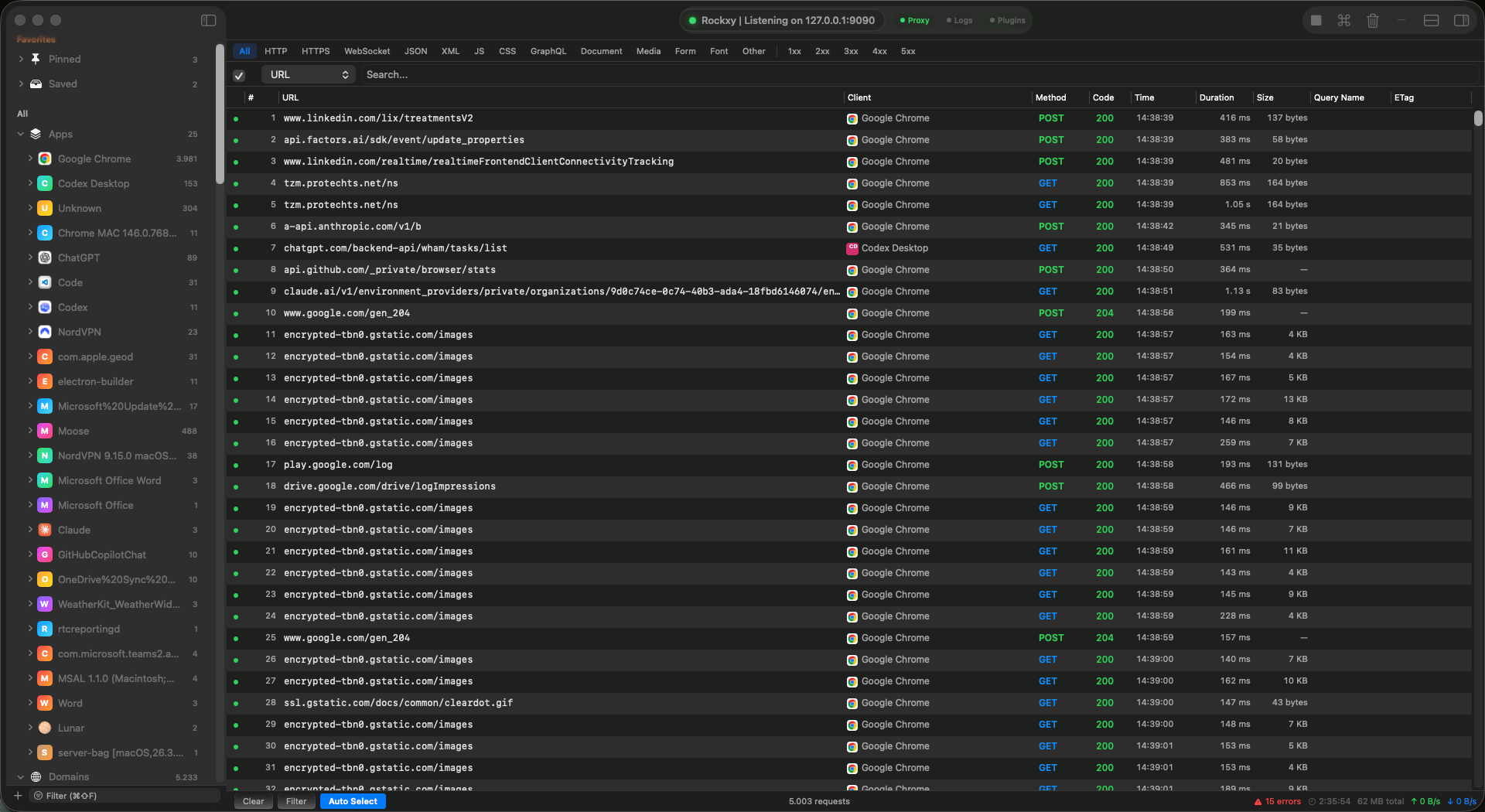
Rockxy is a free, open-source, native macOS developer tool for network debugging. Built with SwiftUI, AppKit, and SwiftNIO, it captures HTTP, HTTPS, WebSocket, and GraphQL-over-HTTP traffic alongside application logs. Everything runs locally on your Mac — no cloud accounts, no telemetry, no subscriptions.
 ## Why Rockxy?
Intercept and inspect HTTP, HTTPS, WebSocket, and GraphQL traffic from any application on your Mac. Full request/response bodies, headers, cookies, and timing data.
Capture OSLog streams and process stdout/stderr in real time. Logs are automatically correlated with network requests by timestamp and process, so you see the full picture without switching tools.
Set breakpoints to pause and edit requests mid-flight. Map requests to local files or remote URLs. Block, throttle, or modify headers with an ordered rule engine.
## Key Features
### HTTPS Interception
Rockxy generates a root CA certificate on first launch and creates per-host TLS certificates on the fly (cached via LRU, up to 1,000 hosts). The root CA private key is stored in your macOS Keychain. Once you trust the root CA, all HTTPS traffic is transparently decrypted for inspection.
### WebSocket and GraphQL
WebSocket frames are captured and displayed alongside HTTP traffic. GraphQL-over-HTTP operations are automatically detected from POST requests to `/graphql` endpoints and labeled by operation name and type, making it easy to filter and search API calls.
### Request Timeline
A visual waterfall view shows request sequences, parallel connections, and dependency chains. Identify bottlenecks at a glance by seeing which requests block others and where latency accumulates.
### Request Replay
Select any captured request and re-send it with **Repeat** (fast path) or **Edit and Repeat** (edit method, URL, headers, and body first). Replay uses a proxy-bypass session, so replayed traffic does not re-enter the proxy pipeline. The response is shown inline with status, headers, and body.
### Sessions and Export
Save and restore captured traffic with native `.rockxysession` files or the industry-standard HAR format. Copy any request as cURL, raw HTTP, or JSON for use in other tools.
## System Requirements
| Requirement | Value |
| ---------------- | ---------------------------------- |
| Operating System | macOS 14.0 (Sonoma) or later |
| Processor | Apple Silicon or Intel |
| Disk Space | \~100 MB for the application |
| Runtime | No additional runtime dependencies |
## Getting Started
Get Rockxy running and capturing traffic in under 5 minutes.
Detailed installation steps, certificate setup, build-from-source instructions, and data storage locations.
Connect Rockxy to Claude CLI or Claude Desktop with the bundled local MCP bridge.
## Open Source
Rockxy is open source under the AGPL-3.0 license. Browse the source, file issues, or submit pull requests on GitHub.
## Why Rockxy?
Intercept and inspect HTTP, HTTPS, WebSocket, and GraphQL traffic from any application on your Mac. Full request/response bodies, headers, cookies, and timing data.
Capture OSLog streams and process stdout/stderr in real time. Logs are automatically correlated with network requests by timestamp and process, so you see the full picture without switching tools.
Set breakpoints to pause and edit requests mid-flight. Map requests to local files or remote URLs. Block, throttle, or modify headers with an ordered rule engine.
## Key Features
### HTTPS Interception
Rockxy generates a root CA certificate on first launch and creates per-host TLS certificates on the fly (cached via LRU, up to 1,000 hosts). The root CA private key is stored in your macOS Keychain. Once you trust the root CA, all HTTPS traffic is transparently decrypted for inspection.
### WebSocket and GraphQL
WebSocket frames are captured and displayed alongside HTTP traffic. GraphQL-over-HTTP operations are automatically detected from POST requests to `/graphql` endpoints and labeled by operation name and type, making it easy to filter and search API calls.
### Request Timeline
A visual waterfall view shows request sequences, parallel connections, and dependency chains. Identify bottlenecks at a glance by seeing which requests block others and where latency accumulates.
### Request Replay
Select any captured request and re-send it with **Repeat** (fast path) or **Edit and Repeat** (edit method, URL, headers, and body first). Replay uses a proxy-bypass session, so replayed traffic does not re-enter the proxy pipeline. The response is shown inline with status, headers, and body.
### Sessions and Export
Save and restore captured traffic with native `.rockxysession` files or the industry-standard HAR format. Copy any request as cURL, raw HTTP, or JSON for use in other tools.
## System Requirements
| Requirement | Value |
| ---------------- | ---------------------------------- |
| Operating System | macOS 14.0 (Sonoma) or later |
| Processor | Apple Silicon or Intel |
| Disk Space | \~100 MB for the application |
| Runtime | No additional runtime dependencies |
## Getting Started
Get Rockxy running and capturing traffic in under 5 minutes.
Detailed installation steps, certificate setup, build-from-source instructions, and data storage locations.
Connect Rockxy to Claude CLI or Claude Desktop with the bundled local MCP bridge.
## Open Source
Rockxy is open source under the AGPL-3.0 license. Browse the source, file issues, or submit pull requests on GitHub.